How do I connect my iPhone to my Toyota Urban Cruiser?
For a minute there, Toyota had been lacking in their infotainment offerings but very quickly bounced back and now offers Apple Car Play and Android Auto in their vehicles. We take a look at connecting ones smartphone to the media center in an Urban Cruiser.


Connect the Apple
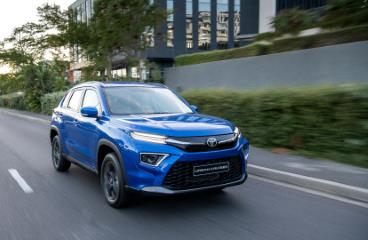
Toyota has recently refreshed the Urban Cruiser making it bigger and better than before. The new vehicle gets an uprated infotainment system that is smartphone-compatible and connecting your phone is now even easier than before..
Related: Toyota Urban Cruiser 1.5 XR MT (2023) Review
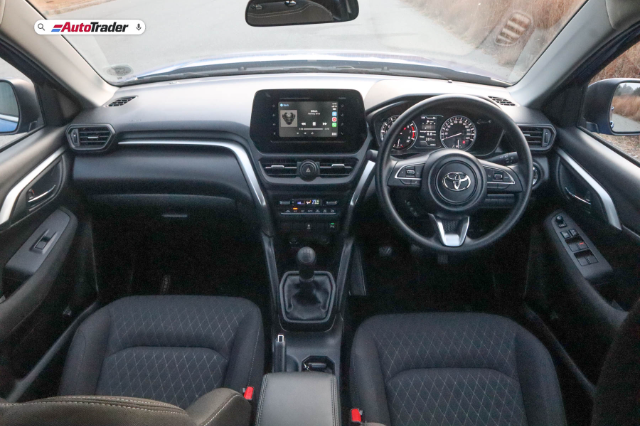
Both grades of the Urban Cruiser offer a touchscreen infotainment on which you'll find Toyota Display Audio which will have Apple Carplay and your Apple device can be connected using a USB to Lightning data cable. There is no wireless Apple CarPlay currently on the Urban Cruiser.
Toyota Urban Cruiser trims head to head: Here's our winner
Get Bluetooth
You can still connect your phone via Bluetooth if you wish to forego the CarPlay connection. This will allow for audio streaming as well as hands-free telephony, allowing you to access your phone book and use the voice assistant to make calls.
Here's how you connect the Bluetooth:
1. Activate Bluetooth on your phone and ensure the vehicle is stopped and in Park.
2. Press the phone button on the touchscreen, followed by 'Add Device'.
3. Tap settings and check your phone for new devices found. Select the Toyota option.
4. The devices will begin pairing and you need to monitor both screens for the PIN number, ensuring that they match.
5. Your device is now connected, and you can select BT Music to access your phone's playlist.
CarPlay for the win
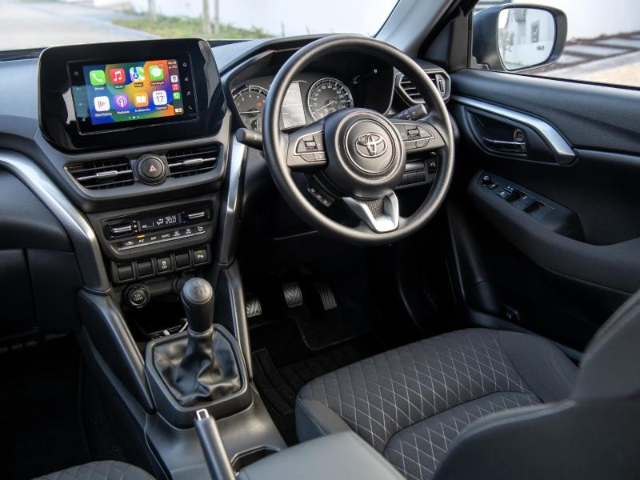
Connecting your phone this way couldn't be easier! Grab your Apple lighting cable and plug it into your phone, and then locate the marked USB port on the centre console and plug in. The system does everything automatically, and you merely need to confirm the use of CarPlay on the touchscreen.
It's always best to use a genuine Apple cable and ensure that you are stopped and in Park when you first connect, as you will be required to follow the prompts on your phone to allow access to your device. You may also need an adapter, as the ports USB ports in the Urban Cruiser are USB-A only.