
Infotainment Comparison – Volkswagen Polo vs Mazda 3 vs Ford Fiesta
Infotainment Comparison – Volkswagen Polo vs Mazda 3 vs Ford Fiesta


By Chad Lückhoff
Volkswagen has made massive forward leaps in the technology and functionality of their audio- and infotainment systems in the new Polo range. We weigh up their features and usability against two of its nearest rivals.
Volkswagen Polo hatch 1.0TSI Highline
R 288 500
The ever-popular Volkswagen Polo is now in its sixth generation, and with it comes more tech than was ever before available in the compact hatch. Along with some advanced driving aids, the 2018 Polo receives an infotainment makeover, making it even easier to live with.
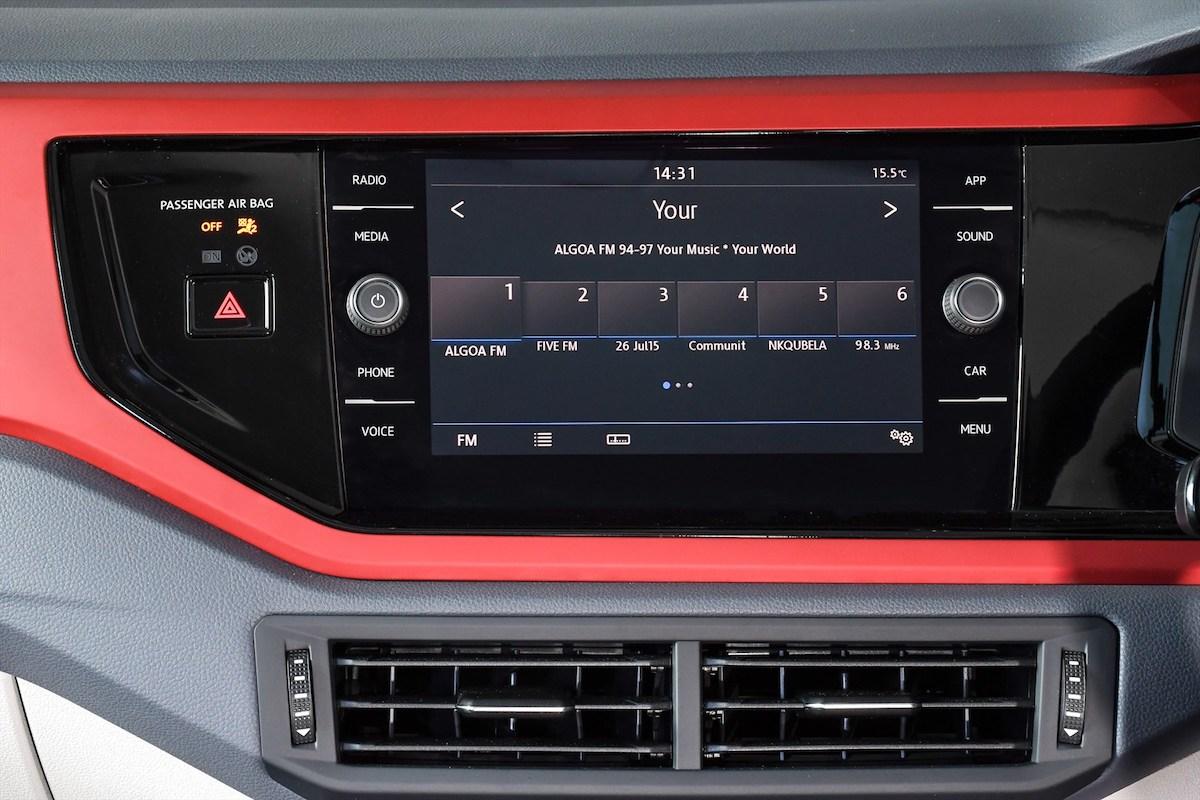
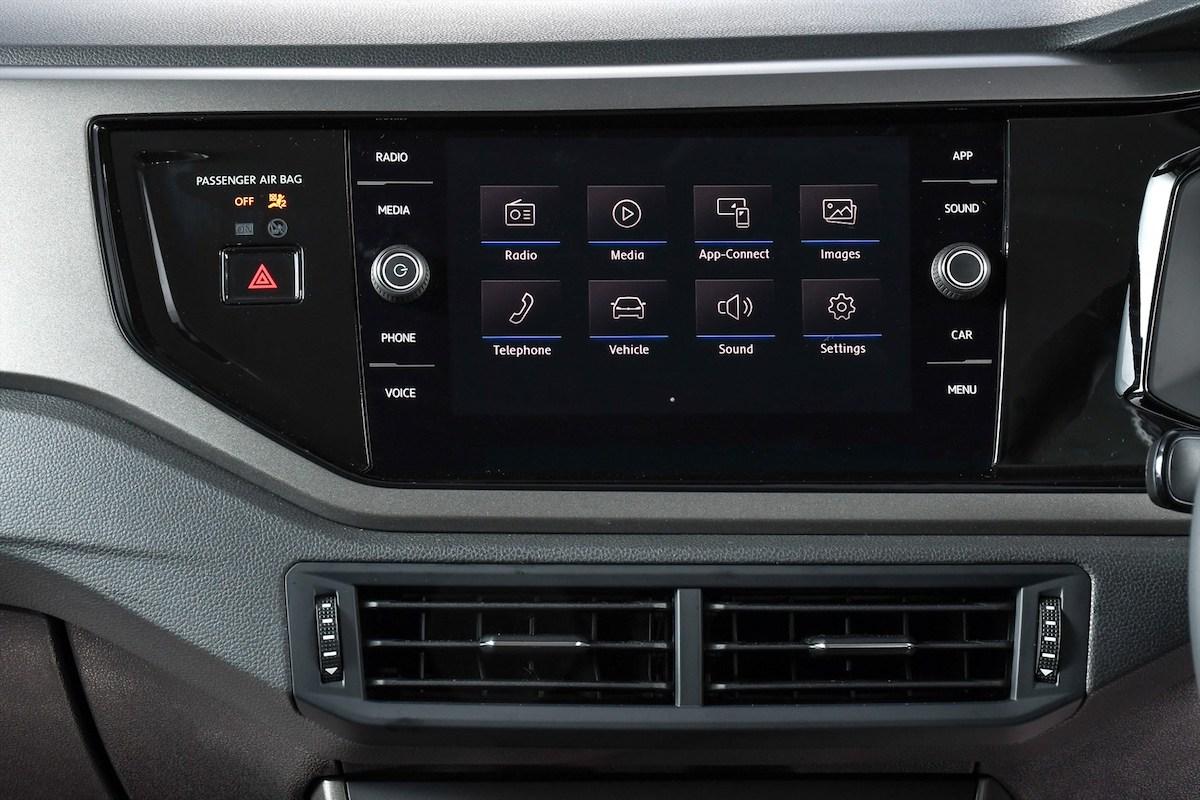
The Polo hatch 1.0TSi Highline model has the most options when it comes to infotainment. As standard, it is fitted with the Composition Media unit, which sends its signals to a 6-speaker setup. This 8-inch colour touchscreen has two USB ports, and SD card reader, a glovebox mounted single-CD player, and receives AM and FM frequencies. (Comfortline and Trendline models are fitted with the 6.5-inch Composition Colour system as standard)
The Composition Media unit has the ability to play MP3, MWA and AAC files, and can display cover art and titles. App connect allows you to link your smartphone to the unit via a USB port, to access either Apple CarPlay or Android Auto for seamless integration with your device. MirrorLink allows you to access MirrorLink-approved applications on the go, when connected to the Composition Media system.
The unit is also Bluetooth enabled, allowing you to make or receive calls as well as stream music from your device without a physical connection. Furthermore, voice activation and -control is standard with the Composition Media unit.
The Composition Media system is a user-friendly and intuitive system, with a tiled layout and easily identified icons. Buttons along the side of the unit allow for quick access to main menu tabs, such as Radio, Media or Phone. Two rotary dials fall easily to hand allowing you to power on or off the system, adjust volume or scroll through selections.
Further possibilities are available when specifying optional equipment in the Volkswagen Polo 1.0TSI Highline. Customers can upgrade the infotainment to the Discover Media Navigation system for R12 150, which enhances the functionality of the Composition Media system and includes navigation. Updates to the navigation software are provided free-of-charge for the first five years. In addition, this includes a licence for the Car-Net ‘Guide & Inform’ service, which is also free-of-charge.
Optional extras:
| Active Info Display: | R8,650 |
| Rear View Camera: | R3,279 |
| Our Rating: | 8/10 |
Mazda3 hatch 1.6 Dynamic
R 293 400
One of the most user-friendly systems that we have had the pleasure of using is the Mazda MZD Connect infotainment system. This unit is found as standard fitment in most Mazda models, barring the entry-level offerings, which means that the Mazda3 1.6 Dynamic is one of the variants fitted with this intuitive system.
With a dash-mounted 7-inch screen, the MZD Connect system uses a rotary dial interface in the centre console. Those familiar with BMW's iDrive system will find the layout intuitive and easy to use and MZD Connect has a very similar user interface. MZD Connect allows you to scroll through menu items, song lists, contacts, and zoom in and out of maps (if equipped with navigation), amongst its many abilities.
Buttons to the side and ahead of the Connect controller allow you to quickly access key menu items as well as your favourites, and lets you go back through your selections with the back button. A separate volume knob, located next to the Connect controller, allows you to quickly and safely raise or lower the volume, without needing to divert your eyes from the road.
When combined with the Bose audio package, the sound is suitably impressive with substantial bass and crystal clear highs through the 9-speaker speaker system. Non-Bose equipped models will have a 6-speaker setup installed instead.
MZD allows for AM/FM radio tuning, CD, USB and Auxiliary inputs and supports most popular file types. SatNav is standard on Astina and Astina Plus models. Aha Radio and Stitcher are preinstalled in the MZD system, allowing you to stream stations and podcasts of your choosing, and integrates into the steering controls, meaning that you can switch between tracks or stations without letting go of the wheel.
While the MZD Connect infotainment system may (at first) seem rather rudimentary and not as feature-heavy as some of the competition, its ease-of-use and simple, logical layout makes it a great feature to have – and without having too many menus and sub-menus to navigate through to get to what you want. It still remains one of our favourite systems to use.
Our Rating:
7/10
Ford Fiesta 1.0T Titanium
R 295 900
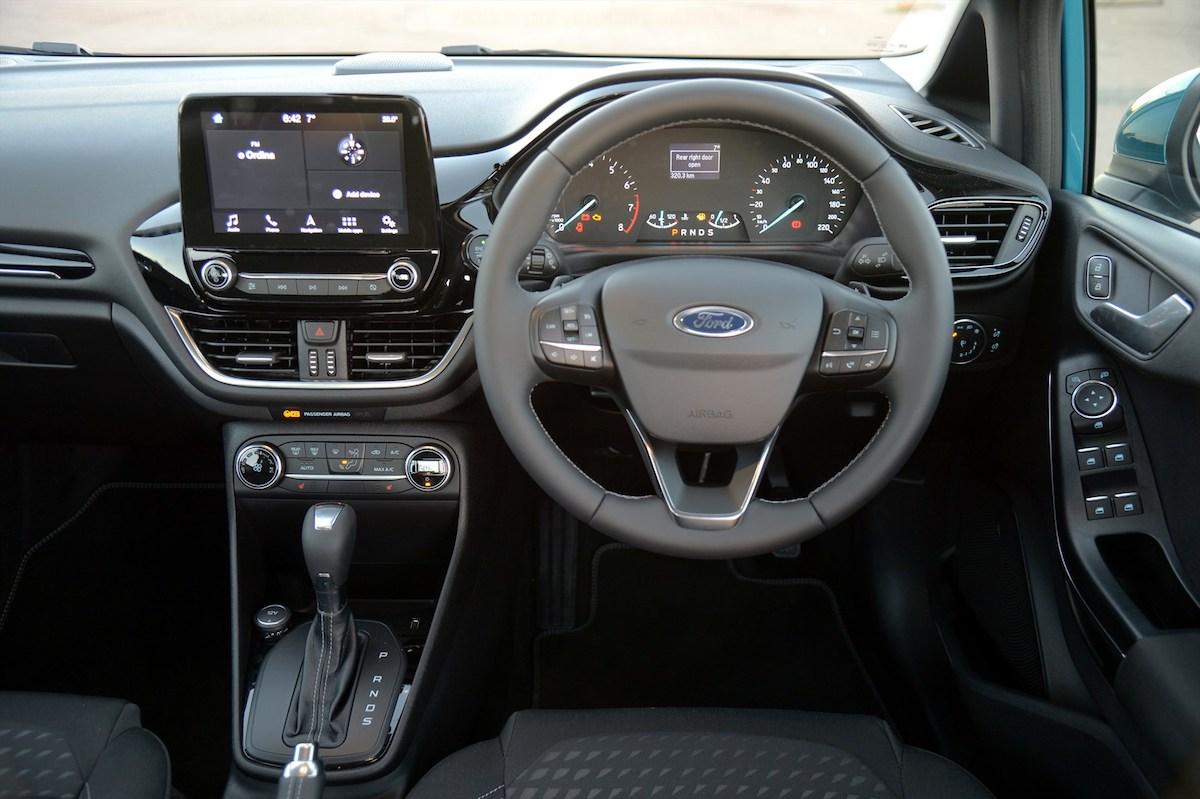
Not only is the 2018 Ford Fiesta a good-looking compact hatch, but the interior has been thoroughly revamped. For the 2018 model year, Ford has foregone their traditional method of mounting the infotainment unit in the dash, and has now opted for a “floating tablet” design, located above the centre console.
Included in this interface is Ford's SYNC3, the latest version of their oft-lamented SYNC system. Admittedly, SYNC3 does away with a lot of the frustration one encountered with the previous SYNC systems, and it now functions in a smoother, more logical manner with fewer sub-menus and a cleaner layout.
SYNC3 uses an 8-inch full-colour touchscreen unit, with additional tactile buttons below the screen for ease of use. Two rotary dials handle volume, power and tuning functions, while a clear row of large menu icons are easy to locate, even when on the move. The screen supports multi-touch swipe and 'pinch-to-zoom' gestures, in a way which will be familiar to any tablet- or smartphone user.
Ford has opted to do away with CD capabilities in their new Fiesta, but fans of the more traditional in-car entertainment can spec a CD player as an optional extra. The Fiesta does, however, have Bluetooth, USB and Aux input capabilities allowing you to connect it to your mobile device, memory stick or iPod / MP3 player. Apple CarPlay and Android Auto are additional ways to connect to your phone, and will allow you to access infotainment-ready apps from the main screen.
SYNC3 allows for voice control and has message reading capabilities.
While not out of the woods completely, the new SYNC3 system is a marked improvement over the systems employed in previous generations. While some may not like the floating screen design, Ford's designers have considered the plights of the concerned, and have designed the dashboard around the infotainment, thus making it look less of an afterthought and more as an included item.
Functionality is also improved and while some menus can still be a little confusing at times, a few days spent with the system will have you navigating your way around it with minimal hassle. We would also like a somewhat sleeker look to the menus and the interface, especially when set on the light theme.
Our Rating:
6/10